


DriveTime Used Cars for Sale
4.71.47K Reviews
App Specs
- Version
- 4.0.10850019
- Updated On
- License
- Free
- Downloads
- 500,000+
- Developer
- DriveTime Automotive Group, Inc.
- Categories
- Auto & Vehicles
- Platform
- Android, iOS
Screenshots

 Analysis by AppCompare
Shopping for a used car is rarely just a matter of picking a model. You’re weighing a budget, checking whether a vehicle suits everyday life, and trying to understand how financing fits into the decision. I find DriveTime Used Cars for Sale most useful as a place to bring those early steps together: browse available cars, keep track of options, and explore personalized financing before deciding what to do next. It is a free auto-shopping app from DriveTime Automotive Group, Inc., and its focus is on used vehicles rather than general car research.
Who this app is built for
If you already know you want a used car and are open to shopping through DriveTime, the app gives you a focused starting point. It makes particular sense for someone who wants to compare a few candidates on a phone, then follow up on the ones that seem financially and practically plausible. I would also consider it if you are at the beginning of the process and want to see what kinds of vehicles fit your broad needs before arranging an in-person visit.
It is less suitable if you are committed to buying from a private seller, want to compare every local dealer in one marketplace, or are only researching reliability across brands. In those cases, a broad classified service or independent research source may be a better companion. DriveTime’s app is a route into one retailer’s used-car shopping and financing process, not a neutral catalogue of the entire market.
A useful first pass, not the whole decision
I would treat the app as a way to narrow the field rather than as a substitute for checking a car carefully. A listing can help you decide what deserves more attention, but photos and specifications cannot tell you how a vehicle feels on your commute, whether the seating works for your family, or whether a particular car suits your regular cargo needs. Save a short list, then use it to guide the questions you ask and what you inspect in person.
One practical trick is to start with the job the car needs to do, not just the badge you like. Think through passenger space, parking, regular trips, and the maximum monthly payment you could comfortably manage. Then compare candidates against that short checklist. This makes saved vehicles more useful: instead of collecting attractive listings, you are keeping a manageable set of options that meet actual needs.
Getting Started with DriveTime
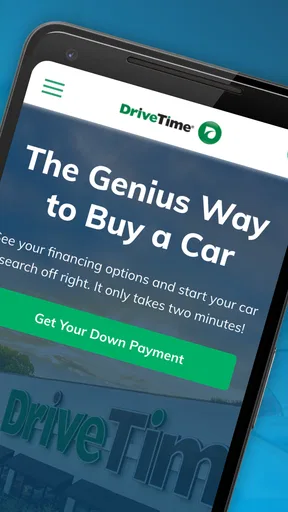
First things first, downloading the app was a piece of cake. Available for both Android and iOS, I quickly found it on the app store, and within minutes, I was ready to dive in. The interface is clean and user-friendly, which is a huge plus for someone like me who isn’t exactly a tech wizard. The app welcomes you with a straightforward home screen where you can easily navigate through various sections.
Browsing the Inventory
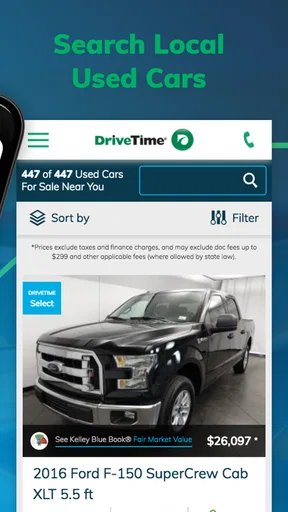
Now, let’s get to the good stuff—browsing the cars. The DriveTime Used Cars for Sale app offers a vast inventory of vehicles. I was pleasantly surprised at how detailed each listing was. You get high-quality images, a comprehensive list of features, and even a breakdown of the pricing. The search filters are super handy too. You can sort cars by make, model, mileage, and price range, which saves a ton of time if you have specific preferences.
Worth Reading Before You Choose

EA SPORTS FC Mobile 26 Is a Bigger Football Game, but It Takes Time

Flipboard Shows What News Apps Must Do Beyond the Feed

Switching to Android Auto Means Rethinking Your Driving Routine

Google Calendar Makes a Crowded Week Easier to Manage

Ludo King Makes the Most of the Minutes Between Plans

Baby Panda World Brings Quick Play to Modern Phones, but Its Game Library Feels Busy
One of my favorite features is the ability to save your favorite cars. Just a tap, and it’s stored in your favorites list, making it easy to compare different options later on. It’s like having a personal car shopping assistant!
Compare listings with a little discipline
Saving cars is most helpful when you use the same yardstick for each one. I like to note why a vehicle made the shortlist, what trade-off it involves, and what I still need to verify. A lower listed price, for example, may not make a car the better fit if its mileage or equipment does not suit your plans. The app can organize candidates, but the decision still depends on comparing like with like.
For a realistic weekend workflow, I might browse after work, save a few plausible options, and revisit them the next morning with a clearer head. Before contacting anyone or traveling to see a car, I would check that the listing still matches my requirements and write down questions about condition, availability, and the next steps. That small pause helps avoid treating an appealing photo as a commitment.
Financing Options Made Easy
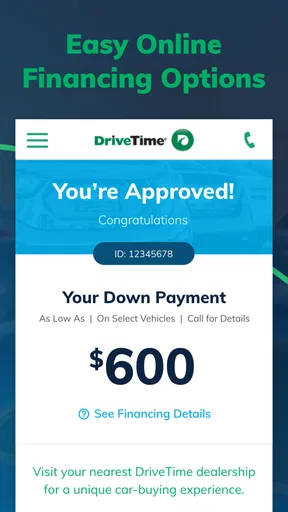
Ah, financing—the part that usually makes me break out in a sweat. But, the app has a nifty financing section that demystifies the process. You can check your potential financing options without affecting your credit score, which is a huge win. The app guides you through understanding monthly payments and interest rates in a way that even a financial newbie can grasp. It’s all about transparency here, and I absolutely love it.
Read the payment in context
A monthly figure is useful for planning, but I would not let it become the only measure of affordability. Before getting attached to a car, consider your full monthly budget and leave room for the costs of owning and using it. Financing information can help you understand possible options; it does not replace reading the terms carefully or deciding whether the overall commitment feels comfortable.
If you are browsing with another person, compare the same saved vehicles and talk through the budget before arranging a visit. That makes the financing section a planning aid rather than a reason to stretch for a car simply because a payment appears manageable. I would also keep the distinction clear between exploring an option and agreeing to a purchase: take time to understand the details before making a decision.
The Test Drive Experience
If you’re like me, you probably want to test drive a car before making any commitments. The app allows you to schedule a test drive with ease. Just find the car you’re interested in, select a convenient time, and you’re all set. The process is seamless, and it takes away the hassle of endless phone calls and coordination.
Make the visit count
A test drive is more informative when you arrive with a purpose. I would check the driving position, visibility, ease of parking, and how the car behaves on the kinds of roads I use most. If I carry passengers or equipment regularly, I would test those practical details too. The appointment helps move the process forward, but it is still worth confirming that the vehicle you want to see is the one being discussed and that the visit fits your schedule.
This is where the app’s focused workflow has a trade-off. It can connect browsing to a next step, but an appointment is not the same as a completed inspection or a purchase decision. I would keep time for a careful look and questions instead of treating the scheduled drive as a final checkpoint. If the car does not feel right, the saved list gives you alternatives to reconsider.
Customer Support and Additional Features
Another aspect worth mentioning is the customer support. The app provides a chat feature where you can get instant assistance if you face any issues or have questions about a car. Trust me, having a responsive support team makes a world of difference, especially when making such an important purchase.
Additionally, the app offers a section with buying tips and advice, which is super useful if you’re new to the whole car-buying scene. It’s like having a buddy who’s been through it all and is ready to share their wisdom.
How it fits beside other shopping tools
Compared with general used-car marketplaces, DriveTime keeps the experience centered on its own inventory and financing path. That narrower scope can be an advantage when you want to move from browsing to a test drive without juggling unrelated listings. The downside is equally important: shoppers who want to compare dealer offers across a broad area may prefer a marketplace designed for that kind of cross-shopping, then use DriveTime as one option among several.
For a first-time buyer, the combination of saved cars, financing exploration, and buying guidance can make the process feel less scattered. For an experienced shopper who already has a preferred dealer or wants independent vehicle research, those same tools may add less value. I would use this app alongside outside research when condition, long-term ownership costs, or comparisons beyond DriveTime are central to the decision.
Current version and what to keep in mind
The app’s current version is 4.0.10850019, and it has been available since July 2, 2018. That history gives existing users a continuing mobile route to DriveTime’s shopping process, but a version number alone does not tell me which screens or features changed over time. I would judge the experience by whether the current app makes it easy to find relevant cars, revisit saved choices, and take the next step without confusion.
DriveTime Cars has an average rating of 4.3 from around 4,000 ratings, with about 1,400 written reviews and over 500,000 installs. Those figures suggest that many shoppers have tried it, though they cannot tell you whether a particular listing, financing option, or visit will suit your circumstances. It is rated for Everyone, but the decision to finance a vehicle is an adult responsibility; younger users can browse, while a qualified buyer should handle any purchase decisions.
For an existing user, the most practical approach is to keep the app as a working shortlist and verify details as you move closer to a visit. If an update changes the layout or flow, take a moment to confirm where saved cars and financing steps are before relying on an old routine. I would watch for clear listing information and a straightforward path from a vehicle page to arranging a test drive, since those are the parts that make this particular app useful.
Final Thoughts
All in all, the DriveTime Used Cars for Sale app is a solid choice for anyone in the market for a used vehicle. It simplifies the process, offers transparency, and provides tools that make car shopping less of a chore and more of an enjoyable experience. Whether you’re a first-time buyer or a seasoned car enthusiast, this app has something to offer. So, next time you’re in the market, give it a whirl—you might just find your dream car without the usual headaches.
My recommendation comes with one clear boundary: use it to organize your search, not to make the decision for you. It is strongest when you are open to DriveTime’s inventory and want a convenient bridge between browsing, financing exploration, and a test drive. If your priority is comparing the whole market or buying outside that route, another service will likely serve you better. For everyone else, it is a practical place to begin, provided you take the time to check each car and understand the financing before committing.
Pros
- User-friendly interface for easy navigation.
- Comprehensive car listings with detailed info.
- In-app financing options available.
- Real-time notifications for price drops.
- Secure and private user data handling.
Cons
- Limited to used cars only
- no new options.
- Occasional app crashes reported by users.
- Requires stable internet for optimal use.
- Some listings may have outdated information.
- Limited customer support response time.
FAQs for DriveTime Used Cars for Sale
What features does the DriveTime Used Cars for Sale app offer?
The DriveTime app offers a variety of features to simplify your car-buying experience. You can browse thousands of used cars, view detailed vehicle information, and apply for financing directly through the app. It also includes a payment calculator, dealership locator, and the ability to schedule test drives, ensuring a comprehensive and user-friendly experience.
Is the DriveTime app free to use?
Yes, the DriveTime Used Cars for Sale app is completely free to download and use. There are no hidden fees or subscription costs associated with browsing listings or utilizing any of the app’s features. However, purchasing a vehicle or applying for financing will involve separate costs and agreements.
How reliable are the vehicle listings on the app?
DriveTime is known for providing reliable and accurate vehicle listings. Each car undergoes a rigorous multi-point inspection and comes with a detailed vehicle history report. The app also offers real-time updates on availability, ensuring you have the most current information while browsing for your next vehicle.
Can I apply for financing directly through the app?
Yes, the DriveTime app allows you to apply for financing directly. It offers a seamless application process where you can input your details and receive pre-approval without impacting your credit score. This feature enables you to understand your budget and financing options before visiting a dealership.
How does the DriveTime app ensure user privacy and data security?
DriveTime prioritizes user privacy and data security by implementing robust security measures. The app uses encryption to protect personal information and ensures that data collected is only used for intended purposes, such as facilitating car purchases or financing applications. Always review their privacy policy for detailed information on data handling practices.


